
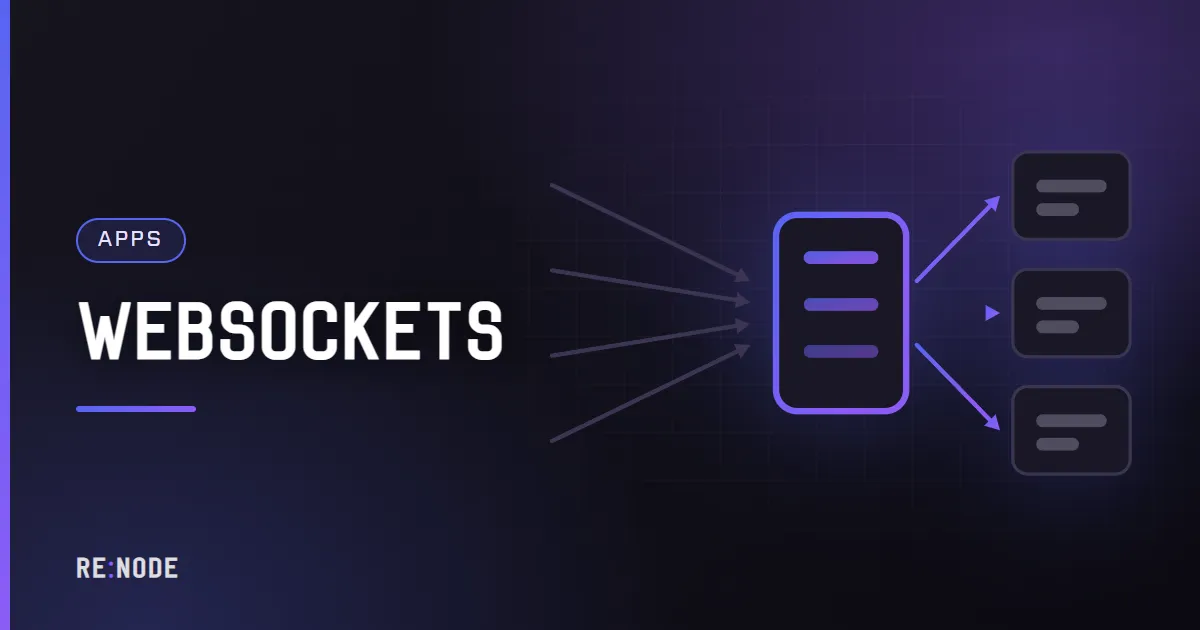
A WebSocket is an ordinary HTTP request that asks to stop being an HTTP request. Everything that breaks when you put a proxy in front of one comes from that sentence: proxies are built to read a request, forward it, read a response, and close. If yours is not told to keep the connection open and pass two specific headers through, the handshake fails, or - worse - succeeds and then dies silently after sixty seconds. The fix is four lines of configuration, a timeout you set deliberately, and a heartbeat. This post covers all three, plus the sticky-session problem that only appears once you run a second process.
How a WebSocket connection is actually made#
The client opens a normal TCP connection, does TLS if the URL is wss://, and sends a GET request with two headers that mean "I would like to change protocol":
GET /ws HTTP/1.1Host: app.example.comUpgrade: websocketConnection: UpgradeSec-WebSocket-Key: dGhlIHNhbXBsZSBub25jZQ==Sec-WebSocket-Version: 13If the server agrees, it answers with status 101 rather than 200, and from that moment the TCP connection carries WebSocket frames in both directions instead of HTTP:
HTTP/1.1 101 Switching ProtocolsUpgrade: websocketConnection: UpgradeSec-WebSocket-Accept: s3pPLMBiTxaQ9kYGzzhZRbK+xOo=Three consequences follow, and they are the whole post.
- The
UpgradeandConnectionheaders are hop-by-hop. HTTP says an intermediary must not blindly forward them, so a proxy drops them unless you explicitly put them back. That is why a defaultproxy_passgives you a400or a plain200instead of a101. - The upgrade only exists in HTTP/1.1. A proxy talking HTTP/1.0 to your app - which is nginx's default upstream protocol - cannot perform one.
- After the
101, the connection is a tunnel that may carry nothing at all for minutes. Every idle timeout between the browser and your process now applies to a connection that is perfectly healthy.
Browsers still open WebSockets over HTTP/1.1 even on an HTTP/2 site, so you do not need to do anything special for that. What you do need is a proxy configured to let the upgrade through.
The nginx configuration that works#
This is the whole thing. The map block goes in the http context, not inside server, and it exists so that a normal request (with no Upgrade header) gets Connection: close instead of a stray Connection: upgrade.
map $http_upgrade $connection_upgrade { default upgrade; '' close;}server { listen 443 ssl; server_name app.example.com; location / { proxy_pass http://127.0.0.1:3000; proxy_http_version 1.1; proxy_set_header Upgrade $http_upgrade; proxy_set_header Connection $connection_upgrade; proxy_set_header Host $host; proxy_set_header X-Real-IP $remote_addr; proxy_set_header X-Forwarded-For $proxy_add_x_forwarded_for; proxy_set_header X-Forwarded-Proto $scheme; proxy_read_timeout 3600s; proxy_send_timeout 3600s; }}Line by line, the ones that matter:
proxy_http_version 1.1- without it nginx speaks HTTP/1.0 upstream and there is no upgrade mechanism. This single line is the most common cause of a handshake that returns400.proxy_set_header Upgrade/Connection- puts the hop-by-hop headers back.proxy_set_header Host $host- your app sees the real hostname. Without it, origin checks and multi-tenant routing see127.0.0.1:3000.proxy_read_timeout- default 60 seconds. This is the sixty-second mystery disconnect. Set it long and send heartbeats, rather than setting it to a day and hoping.
If only part of your app speaks WebSocket, scope it to a location /ws block and leave the rest alone. There is no harm in the upgrade headers on a normal route, but narrower configuration is easier to reason about when something breaks. What a reverse proxy actually does covers the ordinary HTTP path in the same order the packets arrive; a full nginx setup including TLS is in the nginx reverse proxy guide.
Caddy, Apache and HAProxy#
Caddy 2 needs nothing. reverse_proxy 127.0.0.1:3000 handles the upgrade already, and the websocket matcher that people copy from old blog posts was a Caddy 1 thing:
app.example.com { reverse_proxy 127.0.0.1:3000}Apache needs a module that is not enabled by default. a2enmod proxy_wstunnel first, then route the WebSocket path separately, because mod_proxy_http will not upgrade for you:
ProxyPass /ws ws://127.0.0.1:3000/wsProxyPassReverse /ws ws://127.0.0.1:3000/wsProxyPass / http://127.0.0.1:3000/ProxyPassReverse / http://127.0.0.1:3000/Order matters: the longest path first, or / swallows /ws. Apache's ProxyTimeout defaults to Timeout, usually 60 seconds, and applies here too.
HAProxy tunnels upgrades natively in HTTP mode. The setting people miss is timeout tunnel, which governs a connection after the upgrade; timeout client and timeout server stop applying to it.
defaults timeout client 30s timeout server 30s timeout tunnel 1hOn a panel-based host you usually do not write any of this. On RE:NODE, app and web plans include a proxy slot: you point an A record at the address shown on the tab, the certificate is issued and renewed automatically inside a 21-day window, and the original client address arrives in X-Forwarded-For. What no proxy can do for you is answer the upgrade - that part is your application. And if you would rather skip the proxy entirely, the port allocated to your server is reachable directly, and more can be added on the Network tab.
Timeouts, heartbeats and the socket that dies at sixty seconds#
A WebSocket that is open but quiet looks exactly like a stalled connection to everything in the path. Each hop has its own idea of how long to tolerate that:
| Hop | Setting | Typical default |
|---|---|---|
| nginx | proxy_read_timeout | 60 seconds |
| Apache | ProxyTimeout | 60 seconds |
| HAProxy | timeout tunnel | inherits timeout server |
| Cloudflare proxy | not configurable on the lower plans | around 100 seconds idle |
| Cloud load balancers | idle timeout | 60 to 350 seconds |
| Corporate wifi, mobile NAT | connection tracking | 30 to 300 seconds, undocumented |
You cannot configure the last one, which is why the answer is never "raise the timeout" on its own. Send traffic. The WebSocket protocol has ping and pong control frames for exactly this, and every serious library exposes them.
import { WebSocketServer } from "ws";const wss = new WebSocketServer({ port: 3000 });wss.on("connection", (socket) => { socket.isAlive = true; socket.on("pong", () => { socket.isAlive = true; });});// Every 30 seconds: drop what did not answer last time, ping the rest.setInterval(() => { for (const socket of wss.clients) { if (!socket.isAlive) { socket.terminate(); continue; } socket.isAlive = false; socket.ping(); }}, 30_000);Thirty seconds is a good default: comfortably under every timeout in the table, cheap enough that a few thousand connections cost nothing. Browsers answer protocol-level pings automatically, so there is no client-side code for this at all with the raw API.
Socket.IO does its own thing and does it well: the server sends an engine.io ping every pingInterval (default 25 seconds) and closes the connection if no pong arrives within pingTimeout (default 20 seconds). Those defaults already keep the connection warm, so leave them alone unless you have measured a reason.
Socket.IO, polling and sticky sessions#
Socket.IO is not a WebSocket library; it is a protocol on top of engine.io, which starts with HTTP long-polling and then upgrades to WebSocket. That first-request-is-polling behaviour is what produces the most confusing failure in this whole area.
The handshake creates a session (a sid) that lives in the memory of one process. The follow-up polling requests, and then the upgrade, must reach that same process. With one process this is free. With two, roughly half of all requests land on the wrong one, and the client loops forever with:
{"code":1,"message":"Session ID unknown"}There are three honest ways out:
- Run one process. On a small plan this is usually correct. One Node process can hold thousands of sockets, and you have removed the problem rather than managed it.
- Make the load balancer sticky. In nginx that is
ip_hashor a consistent hash on the client address. It is fragile: everybody behind one office NAT, one mobile carrier or one CDN hashes to the same worker. - Skip polling.
transports: ["websocket"]on the client sends the upgrade immediately and never creates a polling session, so stickiness stops mattering. The cost is no fallback for the small number of networks that block WebSockets outright.
upstream app { ip_hash; server 127.0.0.1:3000; server 127.0.0.1:3001;}Stickiness solves routing, not state. Two processes still have two separate sets of rooms, so a message emitted on worker A never reaches a client on worker B. That needs an adapter - a shared bus that every process subscribes to. Node's @socket.io/cluster-adapter (with @socket.io/sticky) does it over the cluster IPC channel with no extra service, which is the right first choice on a single machine. The Redis adapter is the usual answer at larger scale, but Redis is a second thing to run and pay for; Redis, and whether you actually need it yet is worth reading before you add it, and background jobs on a small server covers what to do when you have not got one.
Two more Socket.IO details that bite:
- The default path is
/socket.io/. If you proxylocation /socket.io/only, and then add a second namespace, it still goes through that path - namespaces are not URLs. maxHttpBufferSizedefaults to 1 MB. Larger messages close the connection with no obvious error. Raise it deliberately or, better, do not push megabytes down a socket.- Per-message compression (
perMessageDeflate) is off by default in Socket.IO v3 and above. It is off for a reason: it costs measurable memory per connection. Turn it on only for large, repetitive text payloads.
Getting the real client address#
Once there is a proxy, every connection appears to come from the proxy. For WebSockets this matters more than for HTTP, because the usual abuse control is per-address connection limits, and with a broken configuration every visitor shares one address.
The proxy writes X-Forwarded-For; your app has to be told to believe it. In Express:
app.set("trust proxy", 1); // number of proxies in front of you, not `true`Use the count, not true. true means "trust the whole chain", and since X-Forwarded-For is a client-supplied header, anyone can then claim to be any address by sending their own. With 1, Express takes the last entry, which is the one your own proxy wrote.
With the raw ws library there is no framework to configure - read it off the upgrade request yourself:
wss.on("connection", (socket, request) => { const forwarded = request.headers["x-forwarded-for"]; const ip = forwarded ? forwarded.split(",")[0].trim() : request.socket.remoteAddress;});If you also terminate TLS at the proxy, X-Forwarded-Proto is how the app knows the original request was secure - relevant for Secure cookies and for any redirect the app builds itself.
Cloudflare and other proxies in front of yours#
Cloudflare proxies WebSockets on every plan, including the free one, with no switch to turn on. Three things change when the orange cloud is enabled:
- Idle connections are closed after roughly 100 seconds. Your 30-second heartbeat already handles this.
- Only Cloudflare's supported HTTP and HTTPS ports are proxied. A WebSocket on port 8443 works; one on port 3000 does not, because the record has to be grey-clouded, which reveals the origin address anyway.
- Bot Fight Mode and aggressive WAF rules can challenge the upgrade request. A browser survives a challenge; a mobile app or a server-to-server client does not, and you get a
403that is invisible in your own logs. Cloudflare for websites and game servers goes through which traffic the proxy will and will not carry.
If you are chaining proxies - Cloudflare, then your own nginx, then the app - X-Forwarded-For accumulates a list. The leftmost entry is the original client, the rightmost is the nearest proxy, and the trustworthy part is only as long as the chain you control.
How many connections actually fit#
WebSockets are cheap individually and expensive in aggregate. Budget roughly:
| Resource | Cost per idle connection | Where it runs out |
|---|---|---|
| File descriptors | 1 in the app, 2 in the proxy | ulimit -n, often 1024 by default |
| App memory | 20-60 KB, plus whatever you store per user | The plan's memory limit |
| Proxy memory | A few KB in nginx | Rarely first |
| CPU | Near zero idle; all of it on broadcast | Fan-out to every client at once |
The number that surprises people is the last row. Ten thousand idle sockets cost almost nothing; ten thousand sockets each receiving a 2 KB update every second is 20 MB/s of serialisation and syscalls, and it will saturate a single core. The fix is nearly always to send less: coalesce updates into ticks, send deltas rather than whole objects, and only broadcast to the room that cares.
Two practical limits to raise before you go looking for exotic ones. ulimit -n for the process, because a default of 1024 caps you at about a thousand users. And worker_connections in nginx (default 512 or 1024 depending on build), remembering that a proxied connection consumes two of them. On a container-based host both are normally set sensibly for you; on your own VDS they are not.
Memory on a small plan is the real ceiling. If your app is on a 1 GB tier, per-connection state is the thing to measure, and the failure mode is abrupt: on RE:NODE, reaching the memory limit stops the container and restarts it clean rather than letting it swap, which for a WebSocket app means every client reconnecting at the same instant. That thundering herd is worth planning for with a randomised reconnect delay on the client. Node memory limits explained has the heap side of this, and graceful shutdown and health checks covers closing sockets politely so reconnects spread out.
Troubleshooting#
`400 Bad Request` on the handshake. The proxy ate the headers. Check proxy_http_version 1.1 first, then the two proxy_set_header lines. Confirm with curl - a working endpoint answers 101:
$ curl -i -N -H "Connection: Upgrade" -H "Upgrade: websocket" \ -H "Sec-WebSocket-Version: 13" \ -H "Sec-WebSocket-Key: dGhlIHNhbXBsZSBub25jZQ==" \ https://app.example.com/ws`426 Upgrade Required`. You reached something that only speaks WebSocket with a plain HTTP request. Usually the browser or a health check is hitting the socket path directly.
`502 Bad Gateway`. The app is not listening on the port the proxy is pointed at, or it is bound to 127.0.0.1 while the proxy is in another container. Bind to 0.0.0.0 when the proxy is not on the same host, and check the app actually started.
It connects, then closes after exactly 60 seconds. proxy_read_timeout. Exactly-round numbers in a disconnect log are always a timeout, and the number tells you which hop.
`WebSocket is closed before the connection is established`. Chrome's wording for "the handshake never finished". Look for a 301/302 in the network tab - a redirect from http to https, or a trailing-slash redirect, will do it, because WebSocket clients do not follow redirects.
Mixed content blocked. A page served over https:// cannot open ws://. Build the URL from the page: ` ${location.protocol === "https:" ? "wss:" : "ws:"}//${location.host}/ws `.
Works locally, fails in production, no error anywhere. Suspect something between you and the app that you did not put there: a CDN, an office proxy, a corporate TLS interceptor. Test from a phone on mobile data. If it works there, the problem is the network, not your configuration.
Connections pile up and never drop. No heartbeat, or the server never calls terminate() on a socket that failed to pong. Check the count of open sockets against the number of people actually using the app.
FAQ#
Do I need a separate port or subdomain for WebSockets?
No. The upgrade is an ordinary request to an ordinary path on the same host and port, and the same certificate covers it. A separate subdomain is only useful if you want to route WebSocket traffic to a different process or apply different proxy timeouts.
Why does my socket drop after exactly 60 seconds?
Because something in the chain has a 60-second idle timeout - nginx proxy_read_timeout and Apache ProxyTimeout both default to it. Raise it on the hop you control, and send a ping every 30 seconds so the connection is never idle in the first place.
Do I need sticky sessions for WebSockets?
Only if you run more than one process and use a library that starts with HTTP polling, such as Socket.IO in its default configuration. A single process needs nothing. Forcing the WebSocket transport also removes the requirement, at the cost of losing the polling fallback.
Can I use WebSockets through Cloudflare?
Yes, on all plans, with the proxy enabled and no setting to change. Expect idle connections to be closed after about 100 seconds, so keep the heartbeat, and watch for bot-protection rules challenging non-browser clients.
How many WebSocket connections can one small server hold?
Thousands, if they are mostly idle: budget 20-60 KB of memory each plus your own per-user state, and raise the file-descriptor limit. Broadcast rate, not connection count, is what actually runs out of CPU first.
Should I use Server-Sent Events instead?
If the data only flows server to client - live logs, progress, notifications - SSE is simpler: it is a plain HTTP response, it reconnects on its own, and it needs proxy_buffering off rather than upgrade headers. Choose WebSockets when the client also needs to send messages continuously.
Комментарии
Полностью анонимно: без аккаунта, без почты, без cookie. Мы храним имя, которое вы ввели, текст и время - больше ничего. Количество ссылок ограничено, разметка не отображается.